Add richer media
Support video, images and links with upload, processing and thumbnail states.
LinkedIn · Services Marketplace · 2022–2024
Over two years, I led design across a collection of initiatives within LinkedIn Services—helping businesses and independent professionals establish their presence, showcase their expertise, connect with buyers, and grow their business.
Product area
This case study brings together several projects I led across LinkedIn Services rather than a single feature launch.
LinkedIn already enabled individuals to offer services, but companies with multiple admins couldn't represent their services in the same way. Across the product area, I worked on experiences spanning provider identity, Service Pages, portfolios, buyer requests, Premium, and messaging.
The larger opportunity was to make those initiatives feel like parts of one connected marketplace—helping providers establish credibility, get discovered, and turn buyer intent into conversations.
Company Services
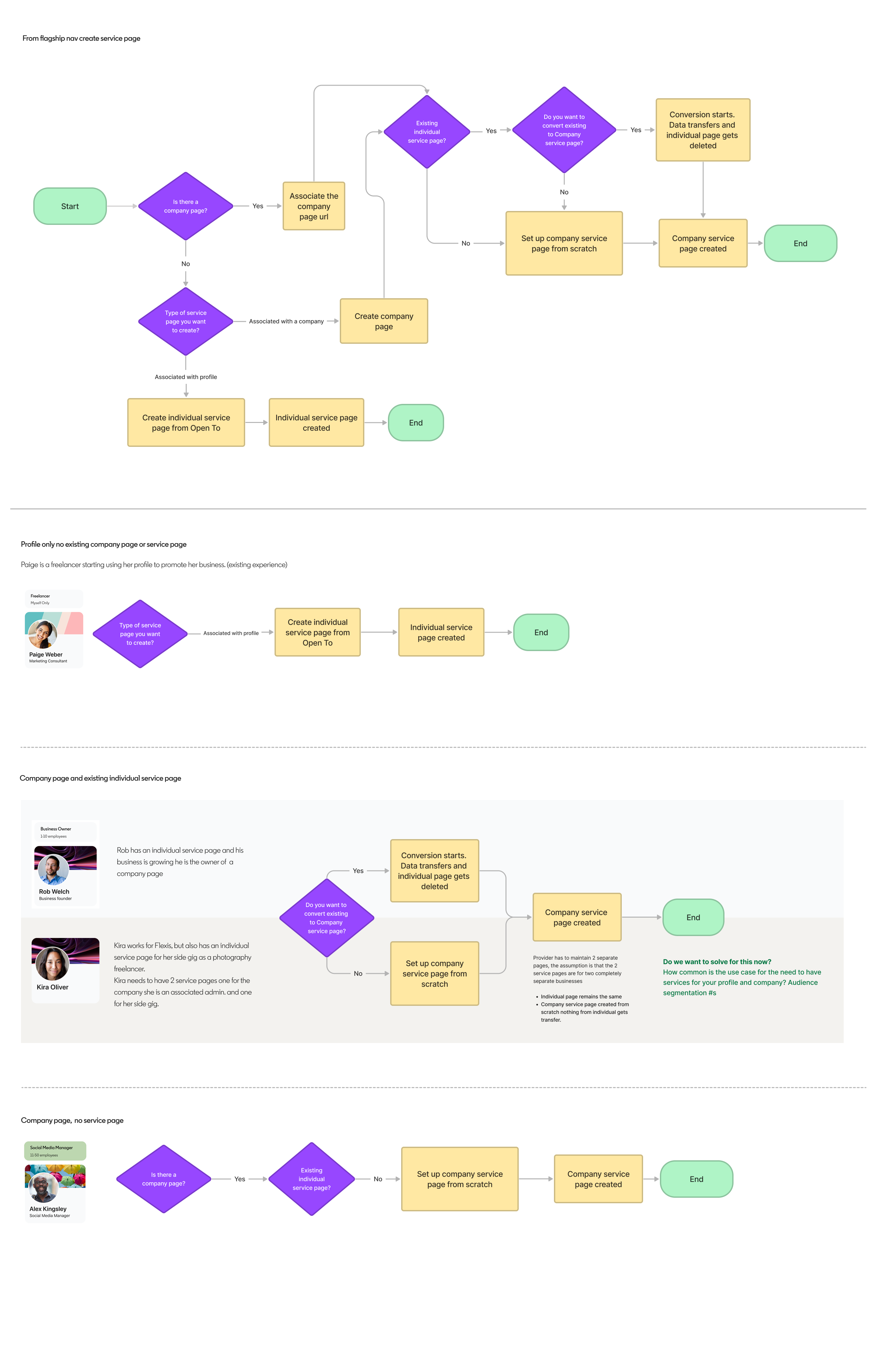
A core design challenge was making the creation experience contextual. A member entering from Profile was acting as an individual provider; someone entering from a Company Page was representing a business.
Rather than forcing people through a generic setup, the experience could preserve that context and create the right kind of service presence from the start.
Service Page quality
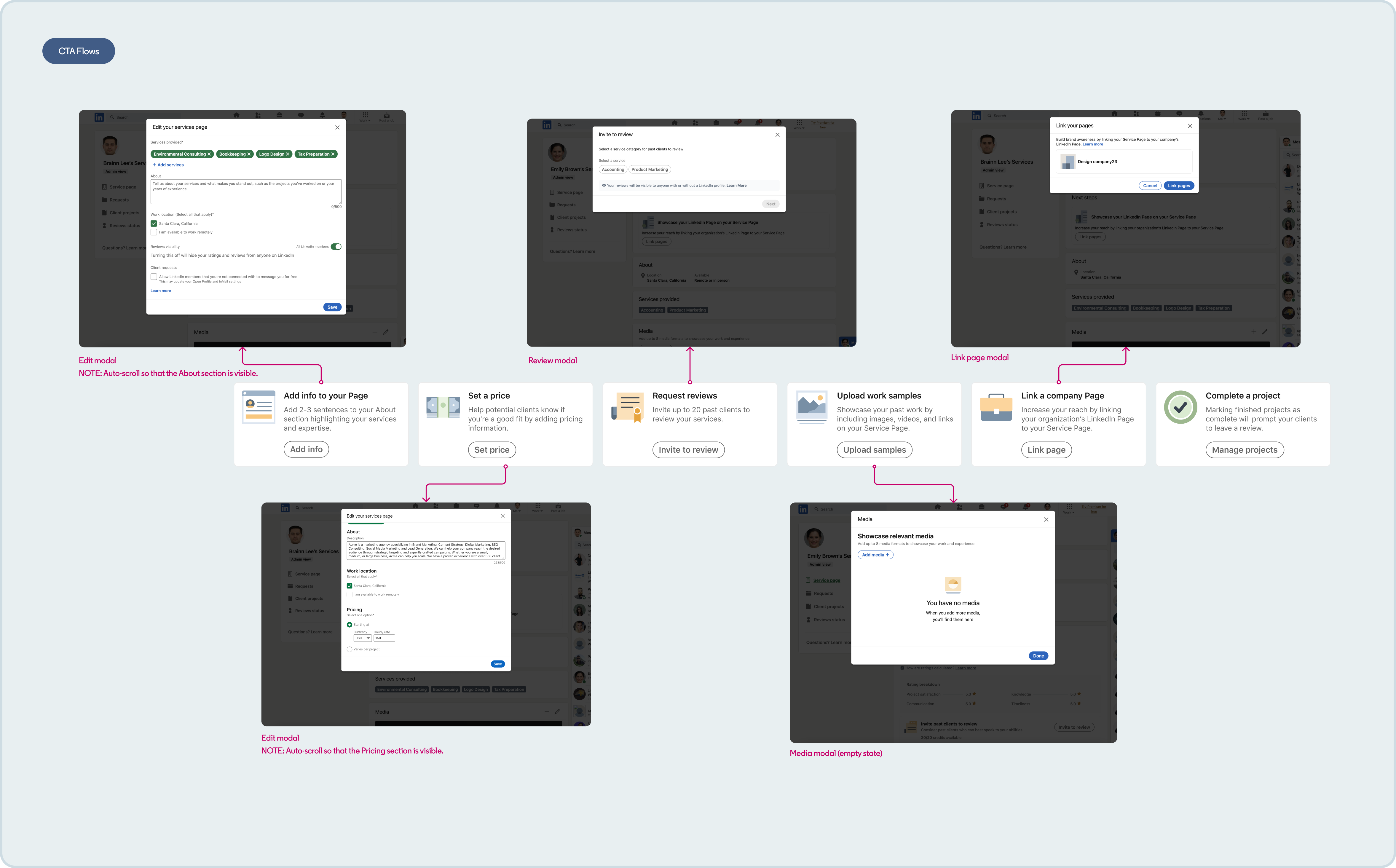
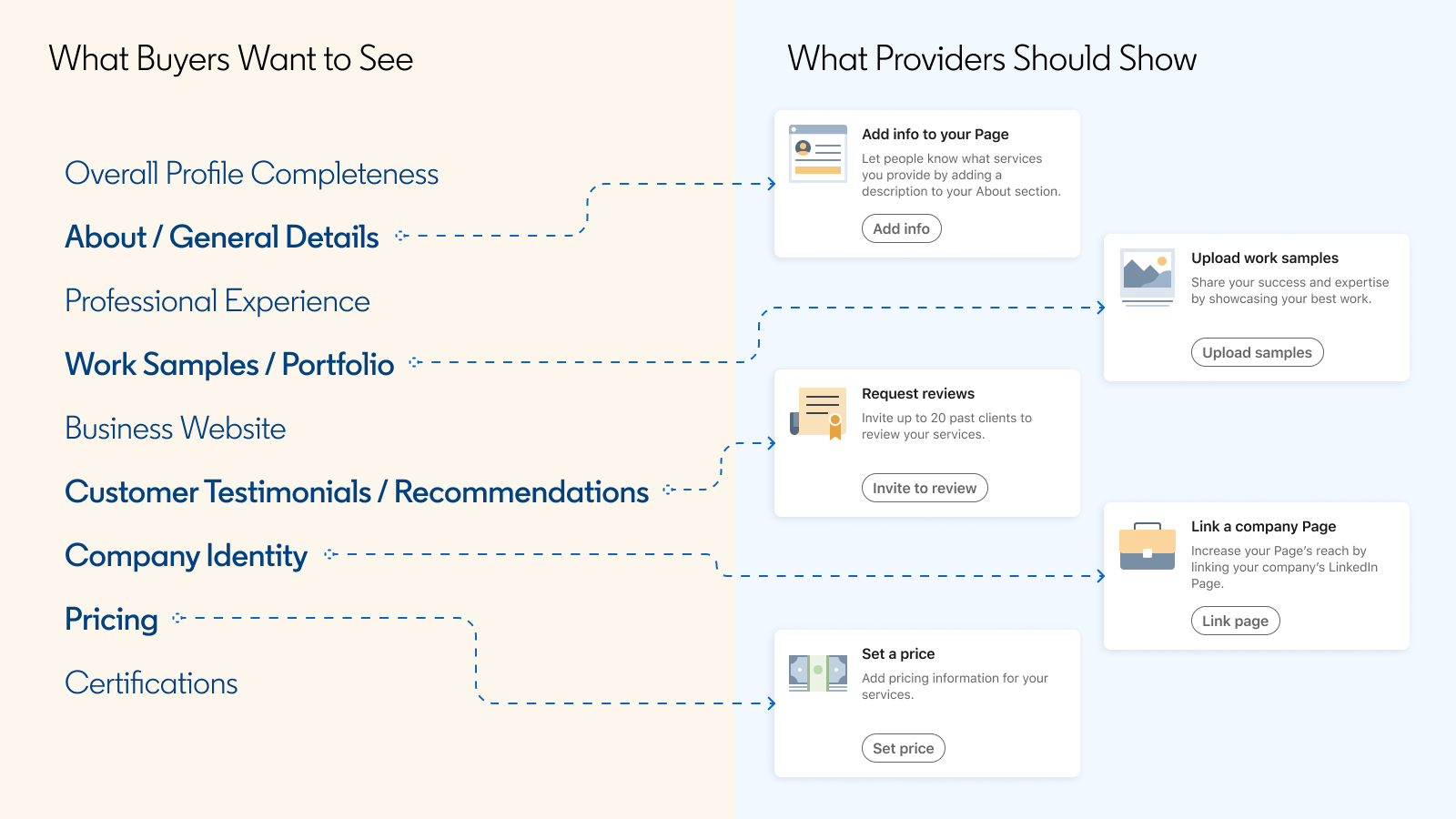
Creating the page was only the beginning. Providers needed to communicate what they offered clearly enough for a buyer to decide whether to reach out.
I worked on experiences that encouraged stronger profiles and richer service pages—including details, pricing, media and other trust signals—while keeping the setup manageable.
Provider portfolio
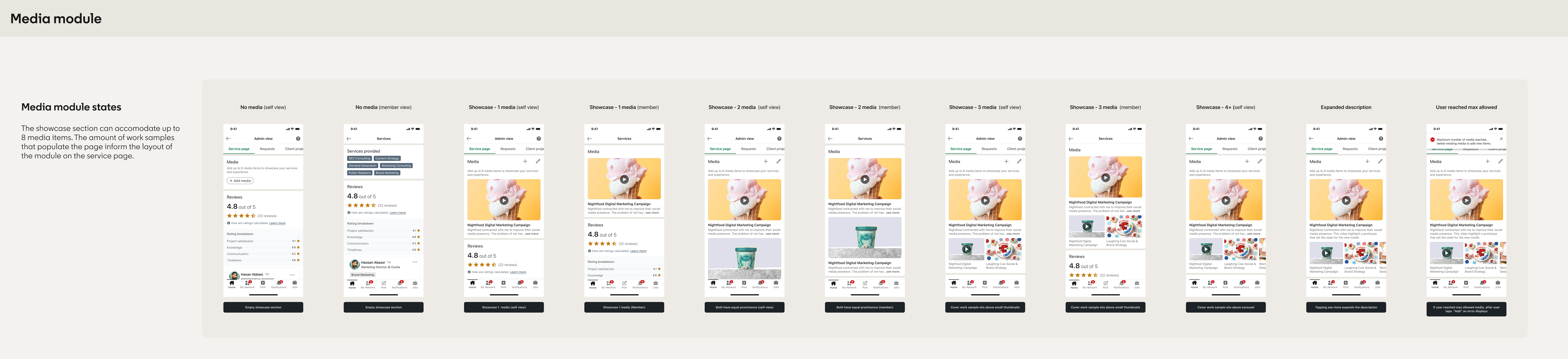
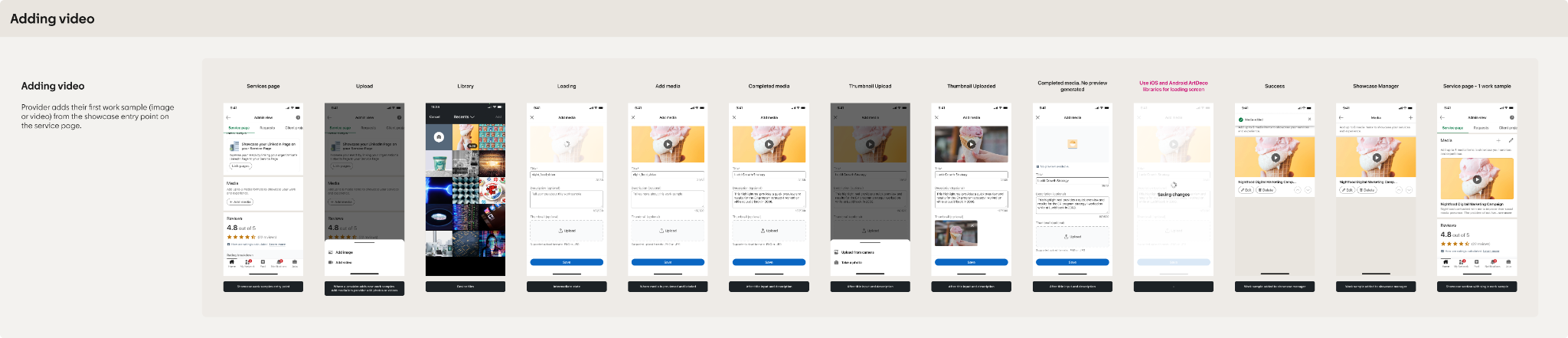
As the service page evolved, I designed ways for providers to build a richer portfolio of their work—from adding video and managing multiple media formats to controlling the order in which their work appeared.
The goal was to give providers more control over how they presented their expertise while making it easier for buyers to evaluate that work in context.
Support video, images and links with upload, processing and thumbnail states.
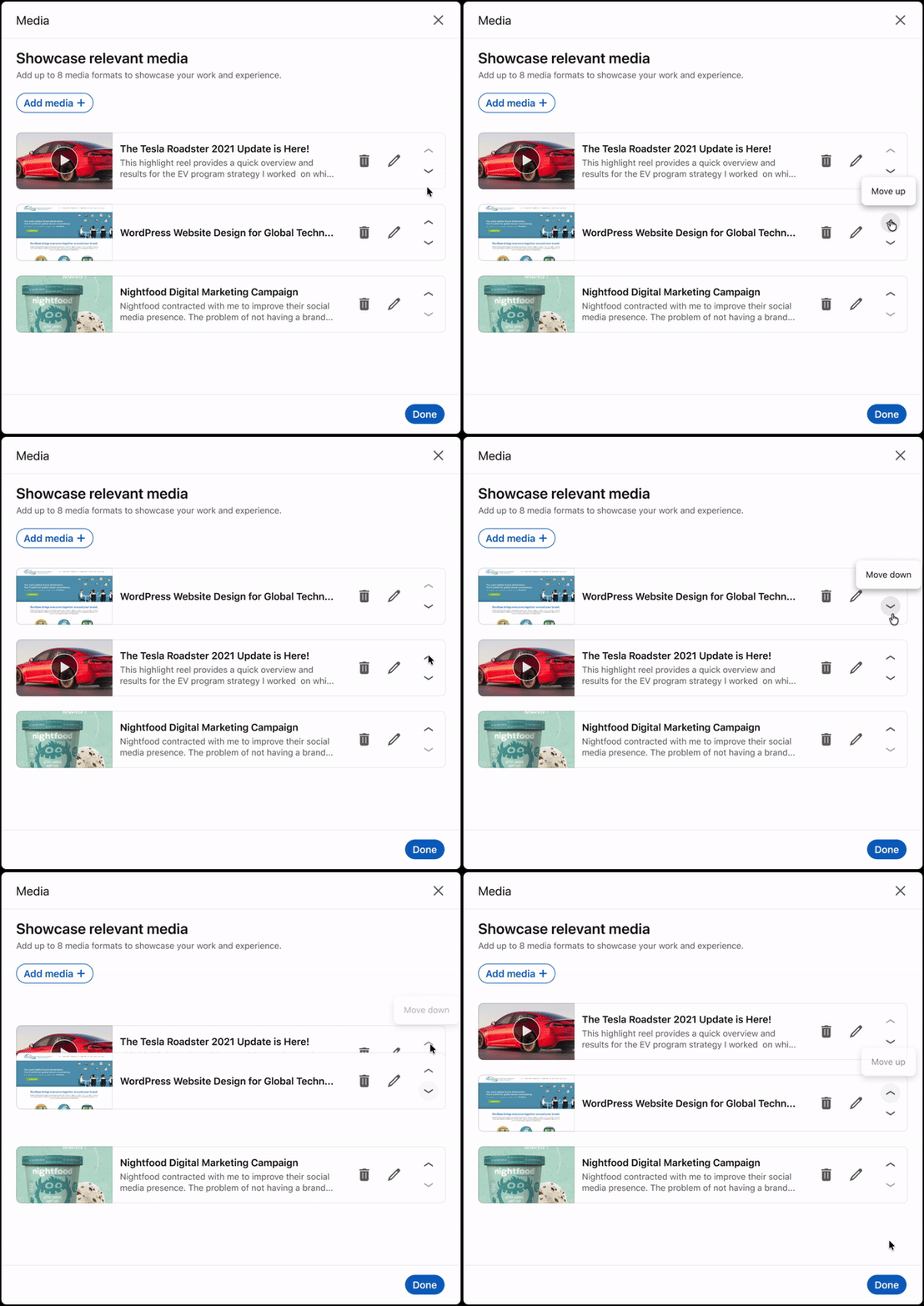
Let providers reorder work samples so their strongest, most relevant work could lead.
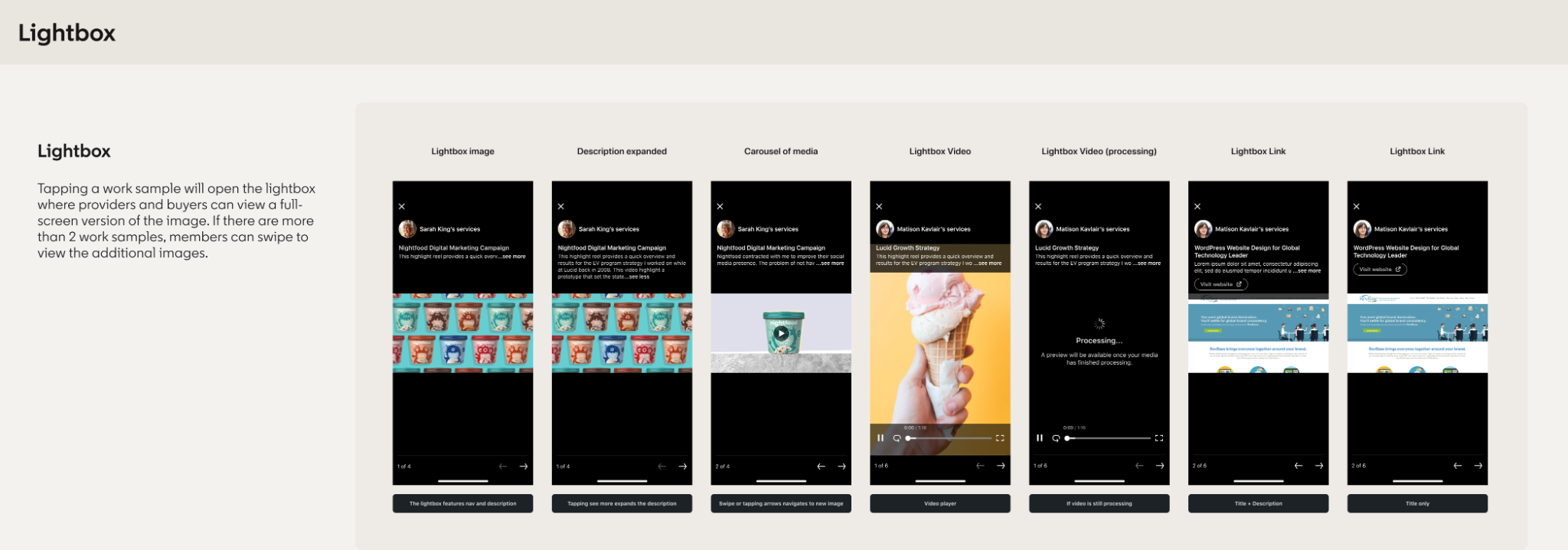
Use a lightbox to make richer work samples easy for buyers to explore without losing context.
Media reordering
As providers added more work samples, upload order became an arbitrary way to decide what appeared first. We added reordering so providers could intentionally lead with their strongest or most relevant work and shape the story their portfolio told to potential clients.
Drag-and-drop alone creates an accessibility gap for people who navigate with keyboards, screen readers, voice control, or have motor impairments. I added clickable directional arrows as an alternative way to move media forward or backward without requiring a precise drag gesture.
This gave providers the same control over how their work was presented regardless of how they interacted with the product.
Services Premium
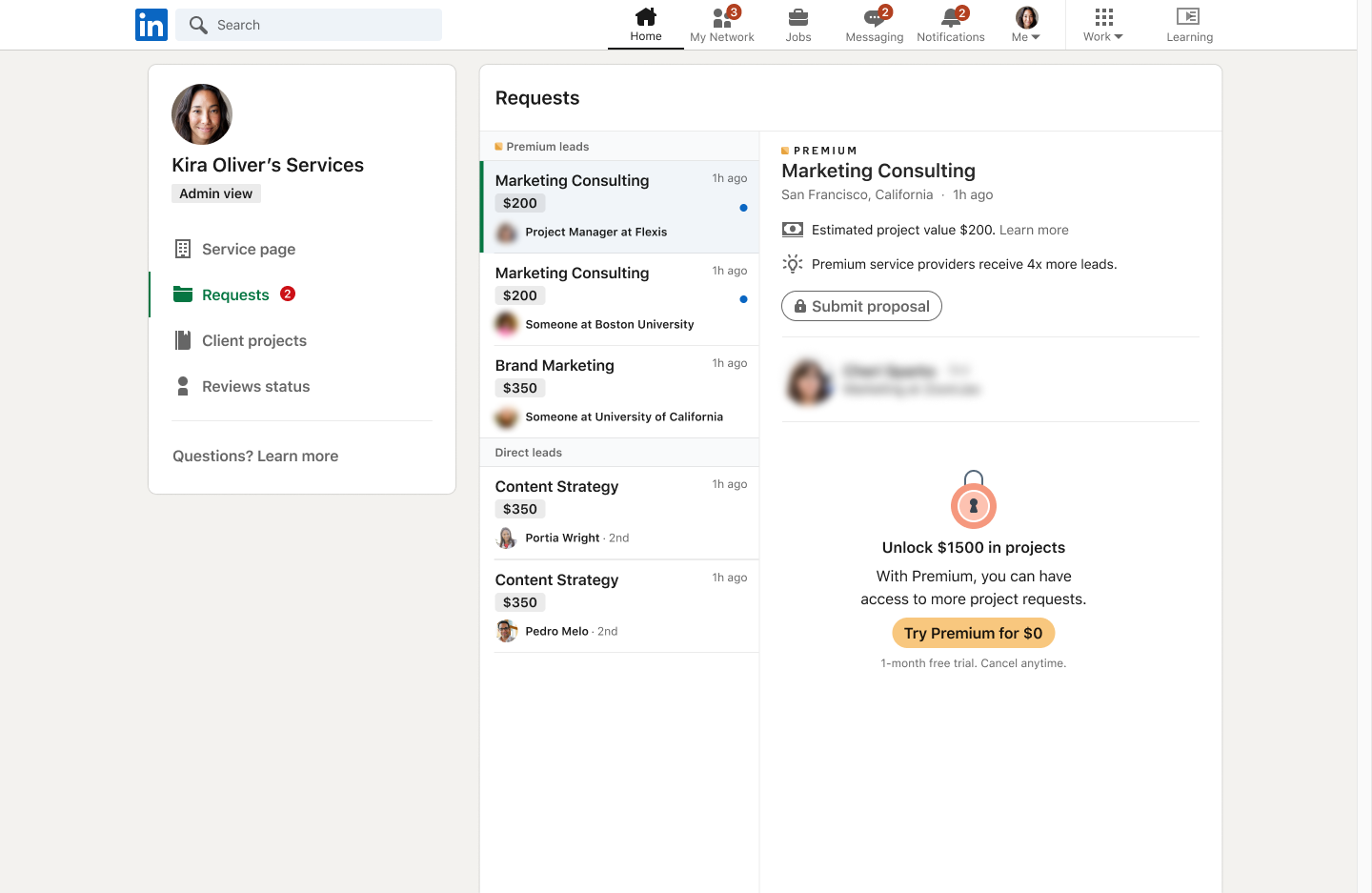
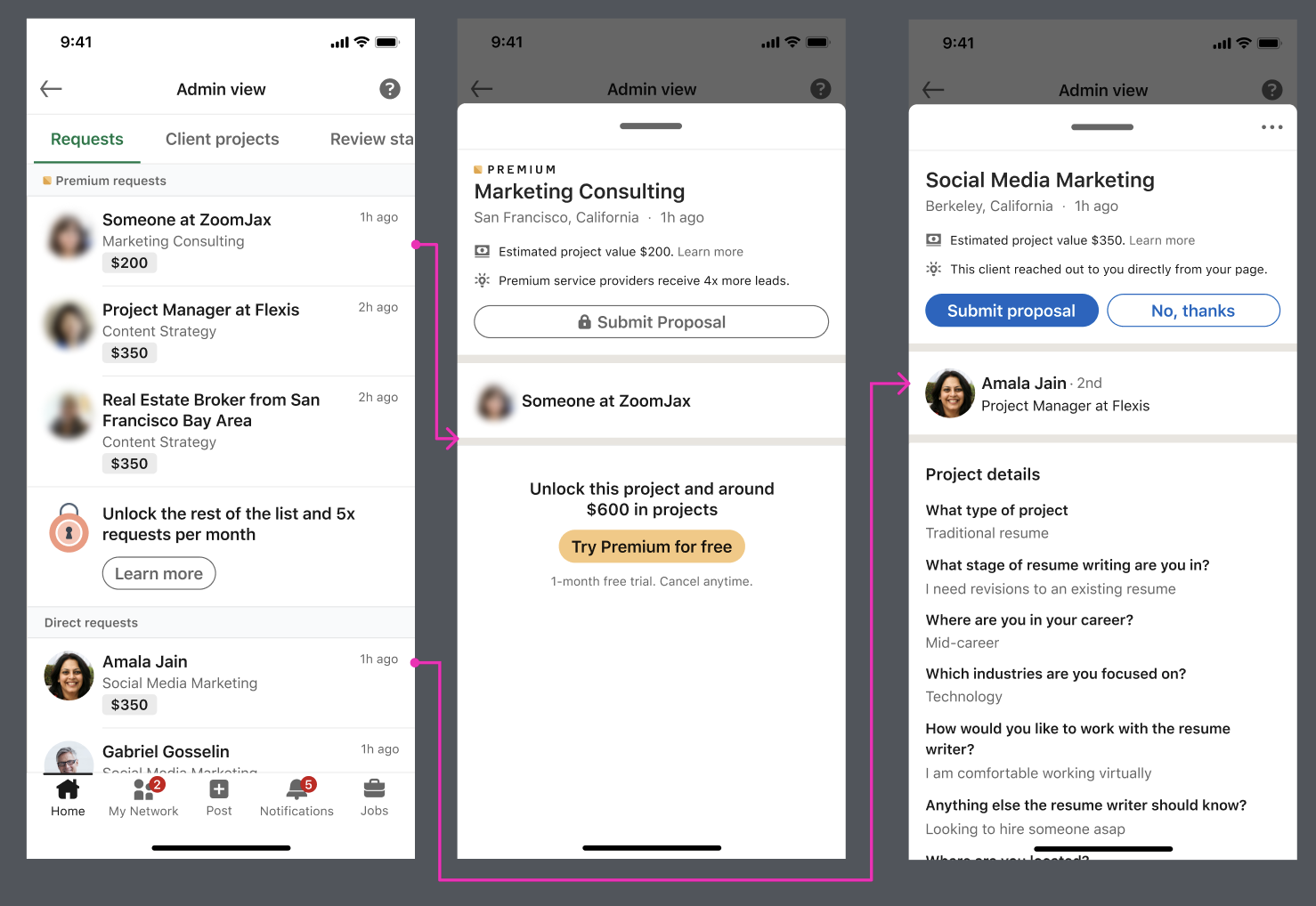
On the demand side, we explored how Premium could distribute more buyer requests to service providers. The design had to make the additional value understandable without breaking the core request experience for non-Premium providers.
This work was estimated to contribute $4–8M in annualized impact in FY24.
Additional work at LinkedIn · Product Pages
While Services Marketplace was my primary product area, I also contributed to Product Pages—helping buyers move beyond product information and connect with people who could offer relevant, credible perspectives.
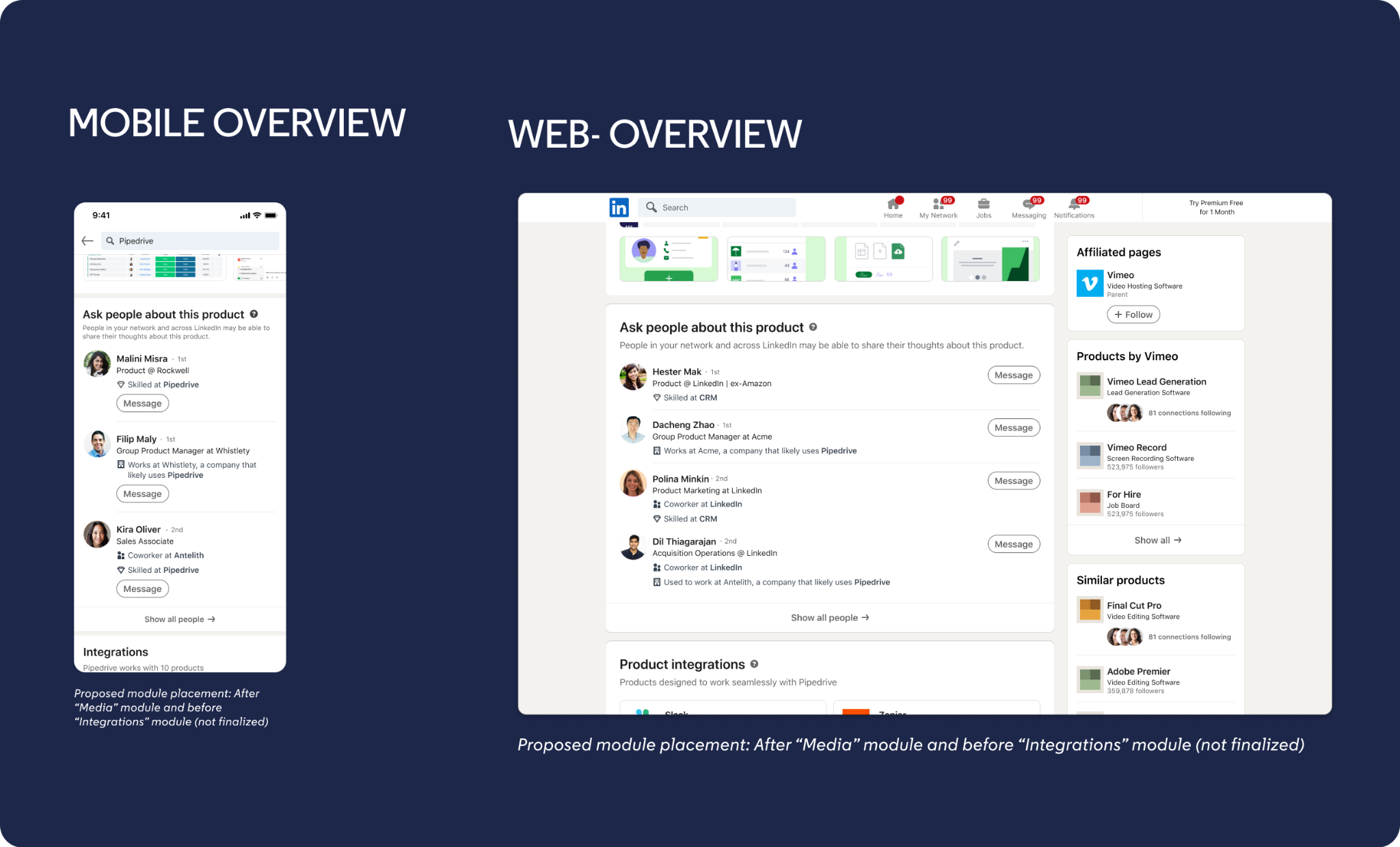
Helpful People
When evaluating software, buyers often want to hear from someone with firsthand experience. I designed a module that surfaced people who could help based on relationship and knowledge signals—including connections with relevant skills, coworkers, and people at companies likely to use the product.
Buyers could expand the recommendations and message a relevant person directly from the Product Page, reducing the distance between research and a useful conversation.
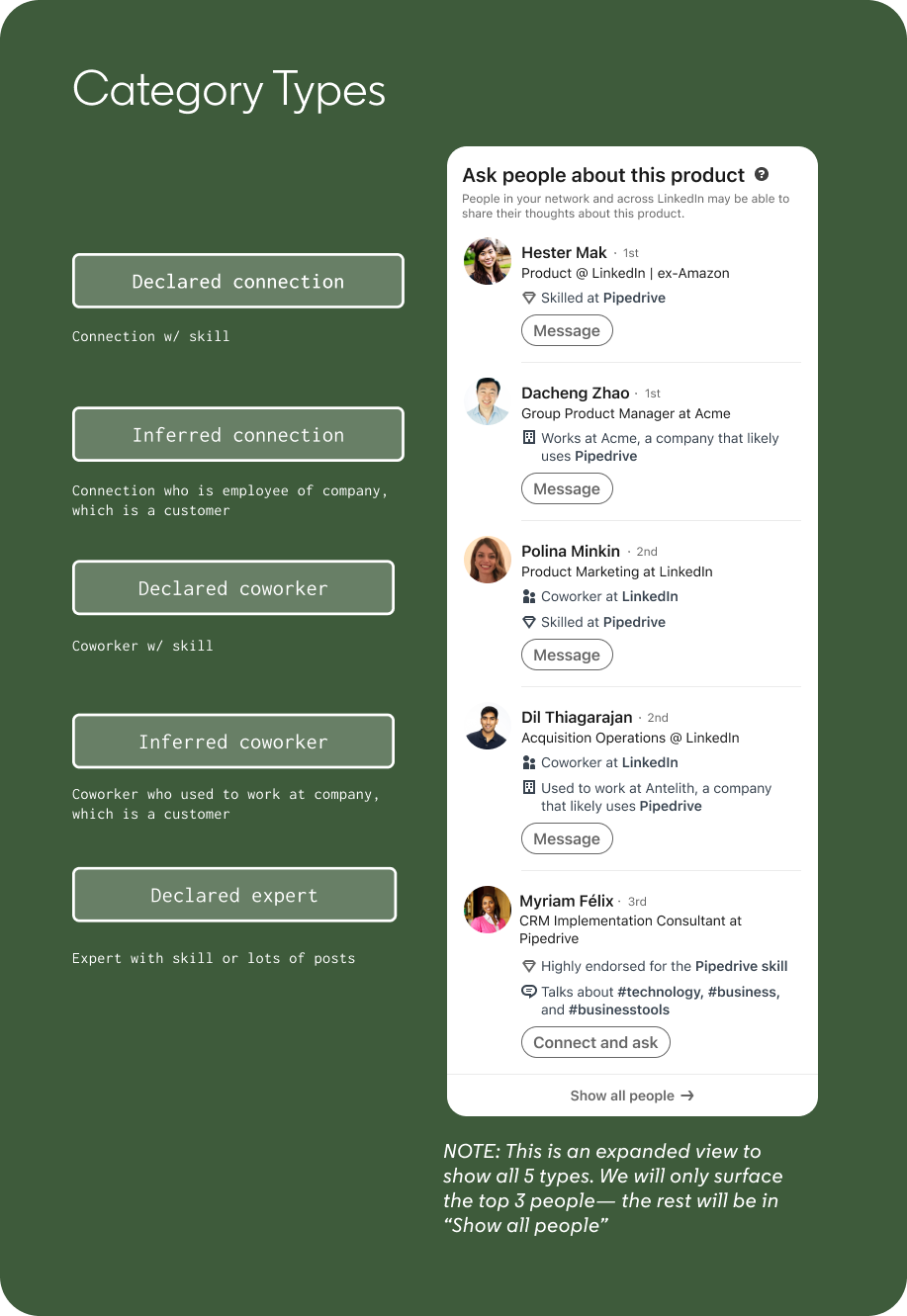
Designing the recommendation model
The experience couldn't rely on connection degree alone. I explored a set of declared and inferred signals—from relevant skills and coworker relationships to experience at companies that used the product—to make each recommendation understandable and useful.
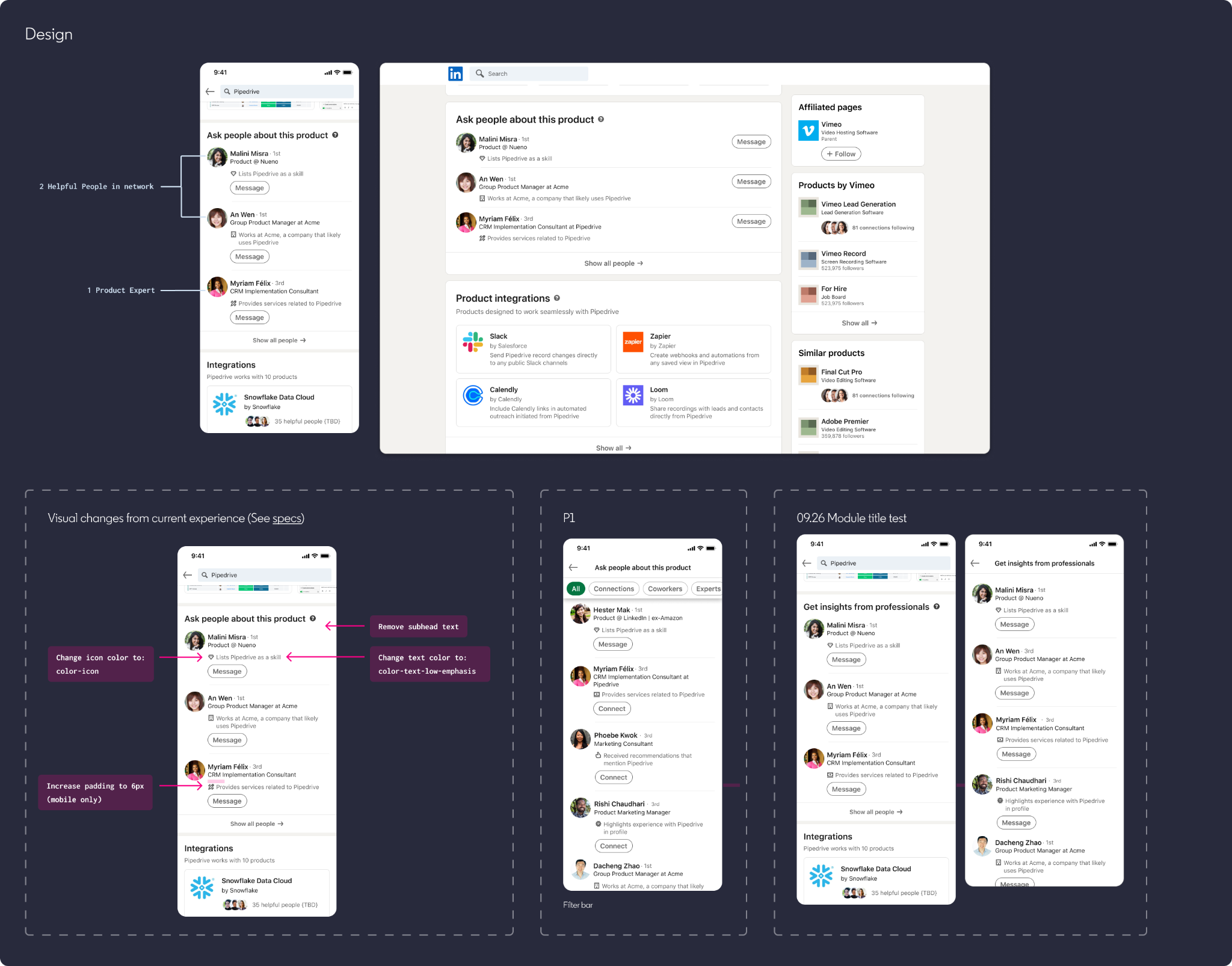
Product Experts
Being connected to someone didn't necessarily make them the best person to ask. In the next evolution, we expanded the model to surface people with stronger evidence of product expertise.
The experience incorporated signals such as relevant skills, recommendations, product experience, and services related to the product—giving buyers more ways to find someone who could provide meaningful guidance.
Reflection
The work required thinking across provider and buyer journeys while partnering with teams across Pages, Premium, Profile and Messenger. The individual features mattered, but the larger design challenge was making them feel like parts of one LinkedIn experience.
Next case study · Hillrom Design System →